
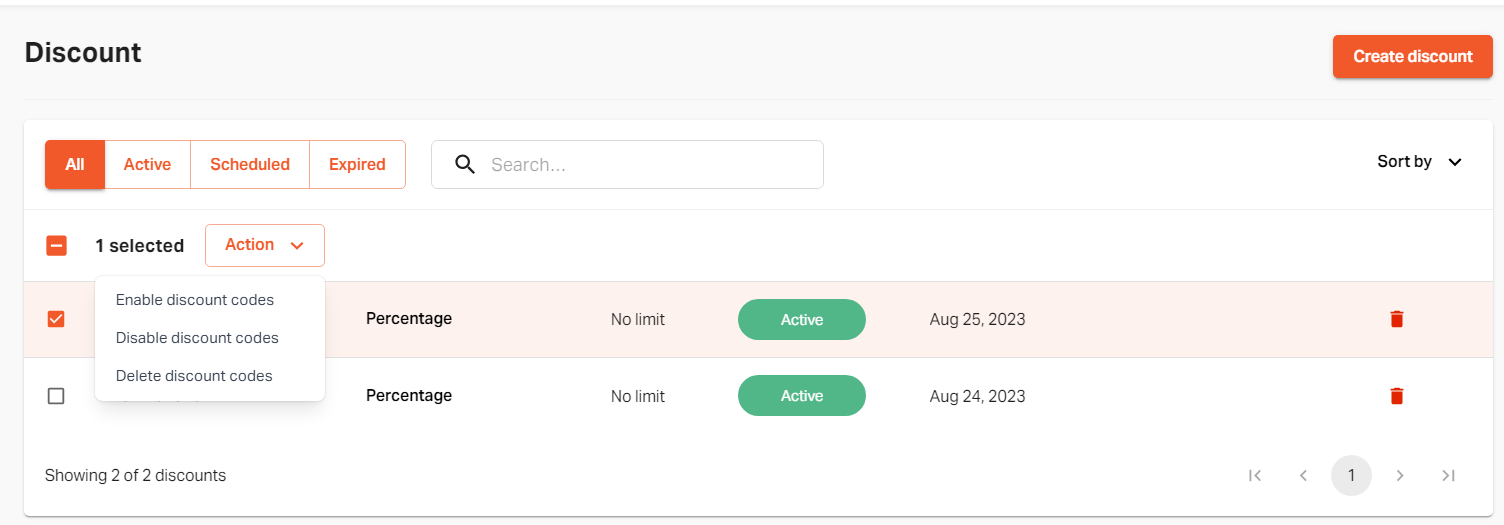
Go to "Discount" on the admin panel.

Select the preferred single discount code or multiple and click on "Action".
You will see a drop-down list.
You can select the "disable" or "enable" option for discount codes.

If you still can't find an answer to what you're looking for, or you have a specific question, open a new ticket and we'd be happy to help!
Contact Us